


USB Fan with LED Clock Display | Skanto
Regular price
$87.99
Sale price$45.99
Save 48%
-
 3-Day Express Delivery
-
 14-day return policy
-
 UP TO 50% OFF
In-Store Availability
Product Availability In-Store

USB Fan with LED Clock Display | Skanto
$45.99
Please note that availability may change at any time. To be safe, please contact the store before purchasing.
Product is not available
ONLY AVAILABLE ONLINE

Today: 50% off
Spring Cleaning Sale
Last chance: Spring sale ends today!
If you are not satisfied with the product when you receive it, we will provide free return and exchange service within 30 days.

Don't miss out! Light up your time with our USB LED Clock Fan!
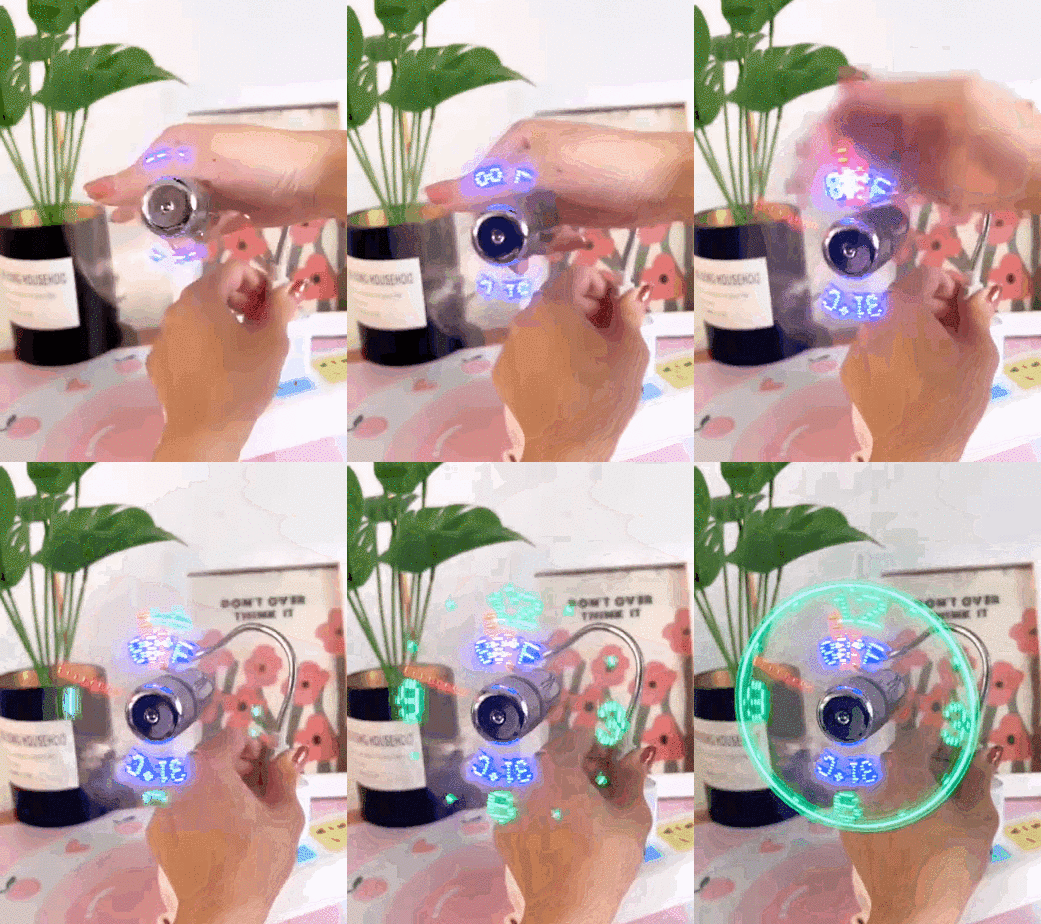
Features
-
【TEMPERATURE & CLOCK】
-
【EASY OPERATION】
-
【SAFE TO USE】
-
【UNIVERSAL COMPATIBILITY】

Applications
Portable LED Real-time Clock USB Fan with Temperature Display, Cooling, Silent Mini Gooseneck Fan for Office, Home, and Travel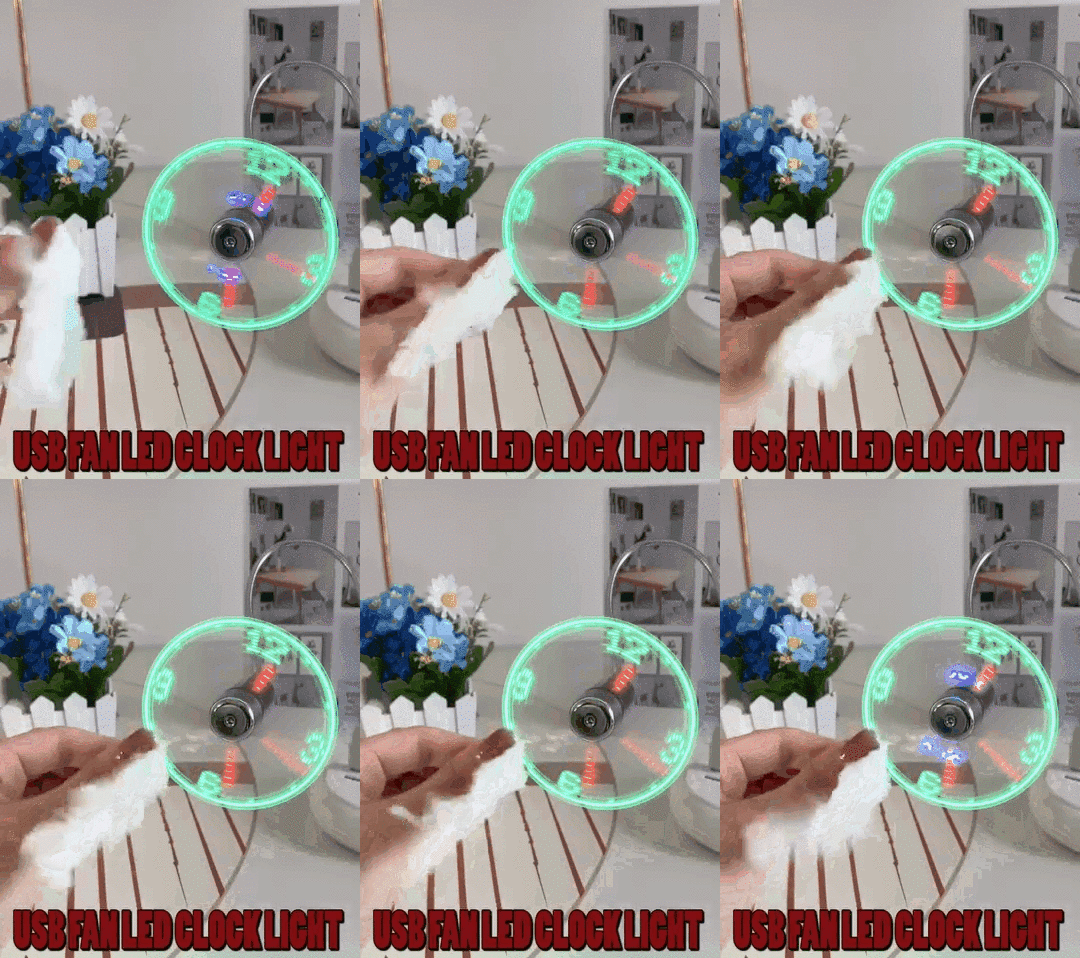
Operating Methods
- Insert the plug into a USB port and press the ON/OFF button to turn on the fan and activate the clock display.
- Press and hold the ON/OFF button until the minute hand starts to flash.
- Setting the hour hand: Continue to hold down the ON/OFF button to set the hour hand. The clock will rotate clockwise rapidly, release the button just before the correct hour.
- Setting the minute hand: Once the hour is set, the minute hand will flash. Click the ON/OFF button to advance the minute hand to the correct time.
- Release the button for 6 seconds and the time will be set.

Specification
| Materials |
|
|---|---|
| Size |
|
| Package |
|
Note
- Due to manual measurements, please allow for slight measurement errors.
- Due to the different displays and lighting conditions, the actual color of the product may vary slightly from the color shown in the picture. Batteries are not included with the product. Please bring your own.


